Dedicated Servers
Dedicated Servers are meticulously designed to handle mission-critical workloads. With a focus on performance and security, we offer robust 100 Gbps DDoS protection, ensuring your dedicated server stays online seamlessly with minimal latency and maximum reliability. Customize your dedicated server from our selection of ‘ready-to-go’ base configurations. Experience high-resilience dedicated server infrastructure with Oplink.net for all your bare metal dedicated server requirements.
Dedicated performance. Full control.
Powerful AMD Ryzen platforms with an entire physical server dedicated to your workloads. High-speed networking, generous transfer, and remote IPMI management included.
CHOOSE YOUR PLATFORM
AMD Ryzen Dedicated Servers
Both servers include 16 cores, 32 threads, DDR5 memory, NVMe storage and full out-of-band IPMI management.
AMD Ryzen 9 9950X
16 cores / 32 threads · 4.3GHz base clock
- CPUAMD Ryzen 9 9950X · 16C / 32T
- Memory128GB DDR5 RAM
- Storage2TB NVMe
- Network10Gbps port / 330TB data
- IP addresses1 IPv4 + 1 IPv6
- SecurityAlways-on DDoS protection
- ManagementIPMI: reboot, install, console
AMD Ryzen 9 7950X
16 cores / 32 threads · 4.5GHz base clock
- CPUAMD Ryzen 9 7950X · 16C / 32T
- Memory128GB DDR5 RAM
- Storage2TB NVMe
- Network10Gbps port / 330TB data
- IP addresses1 IPv4 + 1 IPv6
- SecurityAlways-on DDoS protection
- ManagementIPMI: reboot, install, console
Prices in USD, billed monthly. Listed prices are starting configurations; taxes and optional upgrades may be additional. Build-to-order lead times and inventory are confirmed during ordering.
What’s included with Dedicated Servers?
Choice of Operating System
Windows Server, CentOS, AlmaLinux, Debian, Ubuntu and more! Custom ISO mounting available upon request.
Always-On DDoS Protection
Powered by 100Gbps Corero’s Smartwall we offer DDoS in real-time mitigation to server clients we host! The Smartwall sits at the edge of our network this provides the lowest latency and instant protection.
200Gbps Network
Premium core network, powered by dual 100Gbps Uplinks to Lumen and Cogent. All Dedicated servers include 1Gbps Unmetered Ports or 10Gbps Ports where listed.
Free Technical Support
We love helping our clients. We provide free basic support for all servers we host. We can install/upgrade memory, and storage. Our technicians have 20+ years of troubleshooting experience. While we hope that you don’t have to use it, our staff is available day or night.
Dedicated Server FAQs
You can choose from a wide range of popular Linux or Windows distributions: AlmaLinux, CentOS, Debian, Ubuntu, Windows 11 Pro, or Windows Server 2022. Windows license is not included. We can also install custom ISO’s upon request.
Our network offers the lowest latency multi-homed backbones with 100Gbps Uplink to Lumen and 100Gbps Uplink to Cogent. We include Free DDoS Protection with up to 100Gbps powered by Corero. Our high bandwidth network will provide you with the fastest network connection at all times.
All Cloud VPS plans include:
10Gbps Internet Ports, the monthly data limit is listed on the plan specs.
All Colocation & Dedicated Servers include:
1Gbps Unmetered port, Optional Upgrade to 10Gbps, Email us for details [email protected]
The main factors that separate VDS, VPS, and Dedicated Servers are setup and administration. With a dedicated server, you (as the owner) manage all facets of the machine’s administration – from its core configuration to the data hosted, you maintain all control and responsibility down to the bios/ipmi if you choose to. On VDS, we manage the core configuration at the bare metal level. Each VDS nodes runs a tiny Linux OS that allows easy management. This gives you the instant setup and easy to use portal features that come with VPS, but VDS gives you 100% of the resources. Virtual Private Servers mirror VDS, but you share compute resources with other users.
VDS Slices are something new we rolled out in 2026. They are LOW USER RATIO VDS nodes/servers. What this means is you will only share that node with 4 servers. This allow us to give you more resources; vcores, memory, and storage. VDS Slices are basically 1/4 of the full dedicated server hardware without paying the full cost of bare metal!
-
Website Hosting
Host your websites on a powerful VPS/VDS with high resources, ensuring fast loading times, high availability, and a seamless user experience. -
Application Hosting
Deploy applications on a secure, scalable VPS/VDS, customized to meet your business development and usage needs. -
Database Management
Manage and store databases on a reliable, high-speed VPS/VDS designed to handle demanding workloads with scalability. -
Website Hosting, WordPress Hosting, Secure Email Hosting
Create and manage websites and secure email hosting. -
Game Server Hosting
Run online game servers, such as Minecraft, Counter-Strike, or DayZ, on a secure and scalable VPS/VDS for private gaming experiences. -
Test Server Deployment
Set up a virtual sandbox in seconds to streamline your workflow from development to production. -
Trading Application Hosting
Execute Forex trading strategies on a high-performance, stable VPS/VDS optimized for market demands.
As the name suggests, a dedicated server is a server that doesn’t share or borrow physical resources. This means you can benefit from all of the available storage and power. Unlike virtual servers (which use a portion of the machine’s resources to power virtualization technology) 100% of the resources are made available, all of the time.
While the exact number will vary depending on the server’s CPU and RAM, a single dedicated server should be able to host between 150 – 500 websites.
The Oplink.net datacenter is located in Spring, Texas. Our colocation facility consists of 27 racks located in a large private cage inside the TRG Datacenter.
Oplink.net Datacenter (inside TRG Datacenters)
2626 Spring Cypress RD
Spring, TX 77388
281-445-9800
All colocation, dedicated servers, virtual private servers, and virtual dedicated servers are located in this colocation facility.
Choosing the right dedicated server is an important decision to make. Server configuration should be based around core business needs and hosting requirements. In general, the main specs to consider are the following: CPU, RAM and Storage. When it comes to CPU, a higher CPU clock frequency will naturally deliver faster performance – but this may not be necessary if you run a small to medium sized enterprise. Minimum RAM starts at 16GB, with more necessary if you need to host larger services. For storage, all of our server plans use SSD or NVMe, which are far more durable and lightning fast compared to standard HDD.
Yes, we do offer reverse IPv4 DNS with all services. At this time we do not offer RDNS for IPv6. All RDNS requests can be made by opening a ticket.
To setup RDNS on your static IP(s) please open a ticket.
Copy-n-Paste the following template into the body of the ticket and edit it for your IP & host.domain.com.
1 IN PTR host.domain.com.
2 IN PTR host.domain.com.
3 IN PTR host.domain.com.
*Please make sure you leaving the trailing . at the end of each PTR record.
Any client running a email server MUST have a PTR record per our AUP.
Speed test: https://oplink.speedtestcustom.com/
Raw Speed test File: https://www.oplink.net/speedtest/raw/1000mb.zip
Test IP: 216.230.224.34 or 216.230.227.34
We offer High Storage VPS Stash accounts that you can backup data to. They include 2TB of storage, they make great backup destination that you can fully customize.
Yes, in May 2020 we added a hardware DDoS Protection based solution powered by Corero. We include up to 100Gbps DDoS Protection on Colocation, Dedicated Servers, Web Hosting, Virtual Private Servers, and Virtual Dedicated Servers. The system runs in the background and filters out attack patterns at the packet level. DDoS Protection are provided as a fair-share-resource.
Oplink.net has been in business since 1999.
We strive to approve all orders as fast as possible after payment is made. In very rare cases, your account may be flagged for fraud which could result in an delay. Sometimes we may ask for a copy of your photo ID for additional anti fraud verification. If this happens please email contact us by opening a ticket.
- All VPS/VDS/Web Hosting orders are setup and provisioned the same day.
- All Dedicated Servers orders are setup and provisioned in 24hrs or less. Custom orders may take longer.
- All Colocation installs are setup by appointment next business day after the order is placed.
- All Fiber Internet Services orders can take 5-7 business days to install depending on the location.
We currently accept Visa, Mastercard, Discover, American Express, and PayPal.
If you use PayPal, we recommend a PayPal subscription and automatically withdraw the money on the due date every month, if you do not wish to setup a subscription you can also pay it manually every month.
All servers come with FREE Remote Hands during business hours. We provide you with 1 hour FREE remote hands or direct onsite access to your colo server at the datacenter.
What is included with FREE Remote Hands?
- Remote Reboots
- Level 1 Server Basic Troubleshooting
- Insertion of media
- Upgrading or removing components: hard drives, cpu, or memory
- Basic Config or Bios changes
- Free Remote Spider KVM rental, first come first served
- 1 Free OS Reinstall per month
What do you charge for Remote Hands After business hours?
- After Business Hours fees are $250/hour
- For over 16 years the Oplink.net primary datacenter was in Houston’s Level3 facility. In the summer of 2021 we moved out of Level3 and into TRG Datacenters in Spring, TX.
Power Design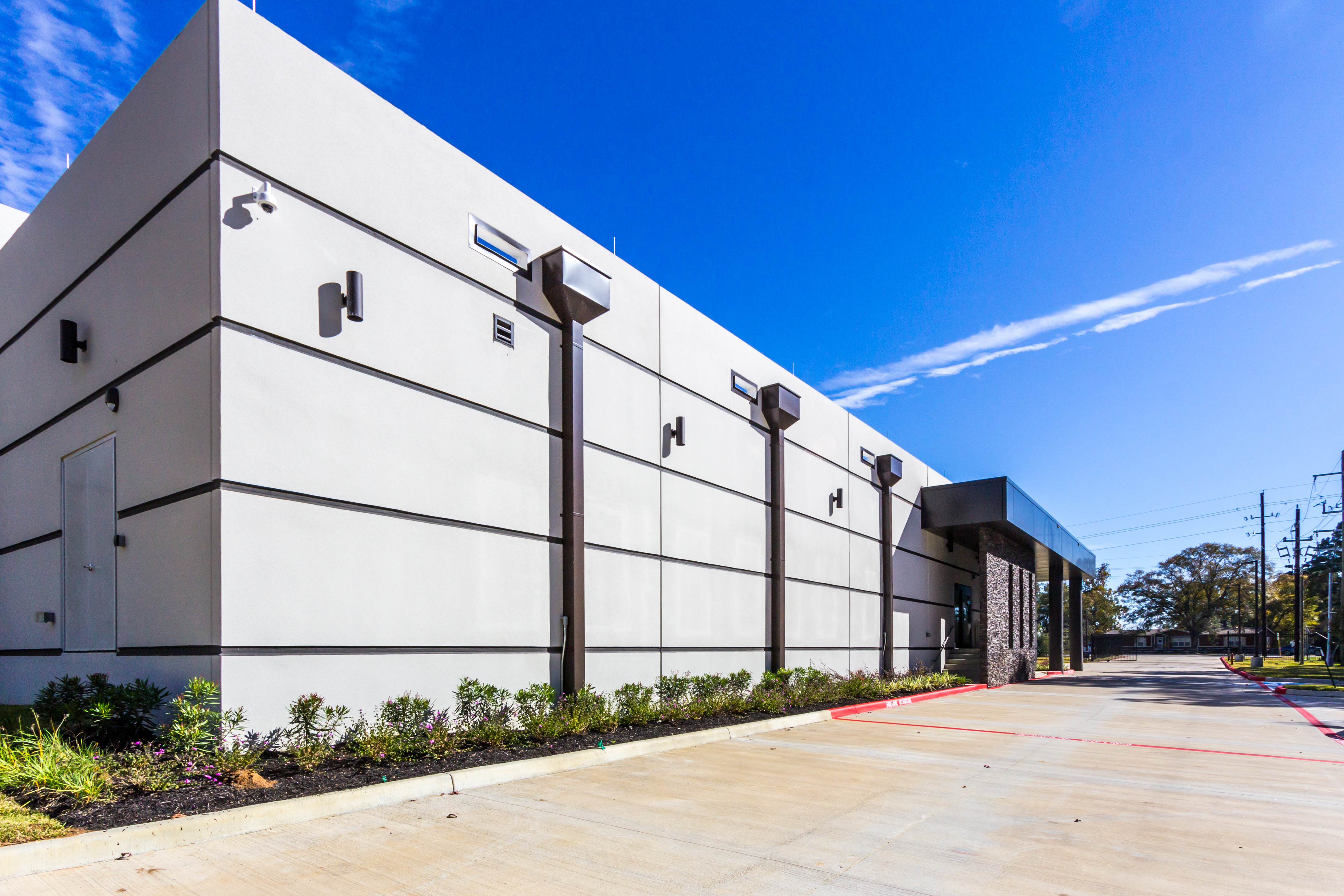
Dual backup power generators are located inside the building, enclosed and protected from weather. During Winter Storm Uri, a spare fuel truck was on-site, and technical staff were on duty around the clock to monitor and maintain generator performance. The datacenter remained on generator power for several days after power was restored to ensure any additional ERCOT power grid failures had no effect on clients. As a result, there was no downtime.

Facility Features
- Lots of room for further growth! The datacenter is planned to have over 125,000 sq. ft. of space, currently 12,000 sq. ft. are available today.
- Located in Spring, TX. The location is 65 miles inland from the coast and lies outside of the 500-year floodplain
- The datacenter was built 2 years ago. It’s a new modern design that utilizes latest building technology including better air flow for lower and consistent operating temperatures. All cables are securely protected below 4ft raised floors.
- Temperature is maintained at 72° F ± 6° F
- Construction is Zone 0 Seismic Code
- Maximum wind rating is 180+ MPH
- The sloping leak-proof roof is 4-inches thick
- Walls are 8-inches thick and made of reinforced concrete
- No rooftop equipment or roof penetrations are allowed, eliminating risk of rooftop damage during storms
- No pipelines or hazardous material storage is nearby
- Major highways are more than 1 mile away, and railway lines are more than 1.5 miles away
- Electrical design is N+1 including dual redundant UPS and battery backups. Automatic power transfer switches ensure a smooth transition to backup power. Contact us to learn more about optional A+B power option.
- Biometric Security and the datacenter is staffed 24/7.
- SSAE-16 compliant
We offer free helping hands services for this task. Please open a os reinstall request ticket and request a reinstall. We offer 1 free reinstall per month per server. Please include what OS or direct link to the ISO you want installed.
Any time you run any version of Windows and open remote desktop (RDP) you should secure access by IP address. This will limit what IP address can connected to your RDP port and try to login to Windows.
- Connected to your Server via remote desktop.
- Open Windows Defender Firewall. (Press Windows Key) and start typing Windows Defender Firewall
- Click on Inbound Rules in the left pane and locate Remote Desktop – User Mode (TCP-In) on the right side. Double click that rule to view it.
- Click the Tab Scope
- Move the bubble on Remote IP access to These IP addresses
- Add your local physical IPv4 address, if you don’t know what your IPv4 is goto: https://whatismyipaddress.com/ (on your home/work PC) (Don’t do this from your Server itself)
- Optional Add Oplink’s IP VPN if you ever lock yourself out or need support from us 216.230.230.2
- Click OK to save.
Looking Glass: https://speedtest.oplink.net/
Here is how you can reboot your server from our client area portal:
- First goto https://my.oplink.net/clientarea.php and login.
- Click Services from the red menu bar and goto My Services.
- Find the Active Service that you want to reboot and click on it.
- In the left hand menu under actions click Reboot.
The process may take 5 minutes to complete depending on how fast your server boots up.
If you need additional help or still cant reach your server after reboot please open a ticket.